We ran the TSO scan and within 10 minutes had a clear breakdown of 4TB of orphaned SharePoint sites nobody knew existed. The savings estimate alone justified the conversation with our CFO.
Microsoft 365 Cost Intelligence
Stop paying for storage you don't actually need.
TSO maps every byte across your M365 tenant, quantifies wasted spend, and delivers a prioritised action plan-in under five minutes. Free, read-only, no data stored.
Start Free ScanYour M365 tenant is full of waste.
TSO makes it visible.
No guesswork. No agents. No risk. Just a clear picture of where your storage budget is going-and exactly what you can reclaim.
Full Tenant Visibility
Maps every SharePoint site, OneDrive, Exchange mailbox, and Teams channel in your tenant. Nothing is hidden; nothing is guessed.
Immediate Cost Impact
Organisations typically identify $18,000–$50,000+ in recoverable annual storage spend in their first scan. TSO quantifies every byte so you can speak to your CFO in numbers, not estimates.
Zero Risk
Read-only Microsoft Graph access. TSO never writes, never stores your data, and leaves your tenant exactly as it found it-so security sign-off is straightforward.
$18k+
Avg savings identified per scan
40–60%
Stale content found in typical tenant
< 5 min
Time to complete full tenant scan
Everything you need to act.
Nothing you don't.
Six views, one coherent picture of your M365 storage-from tenant-wide totals to per-user byte counts.
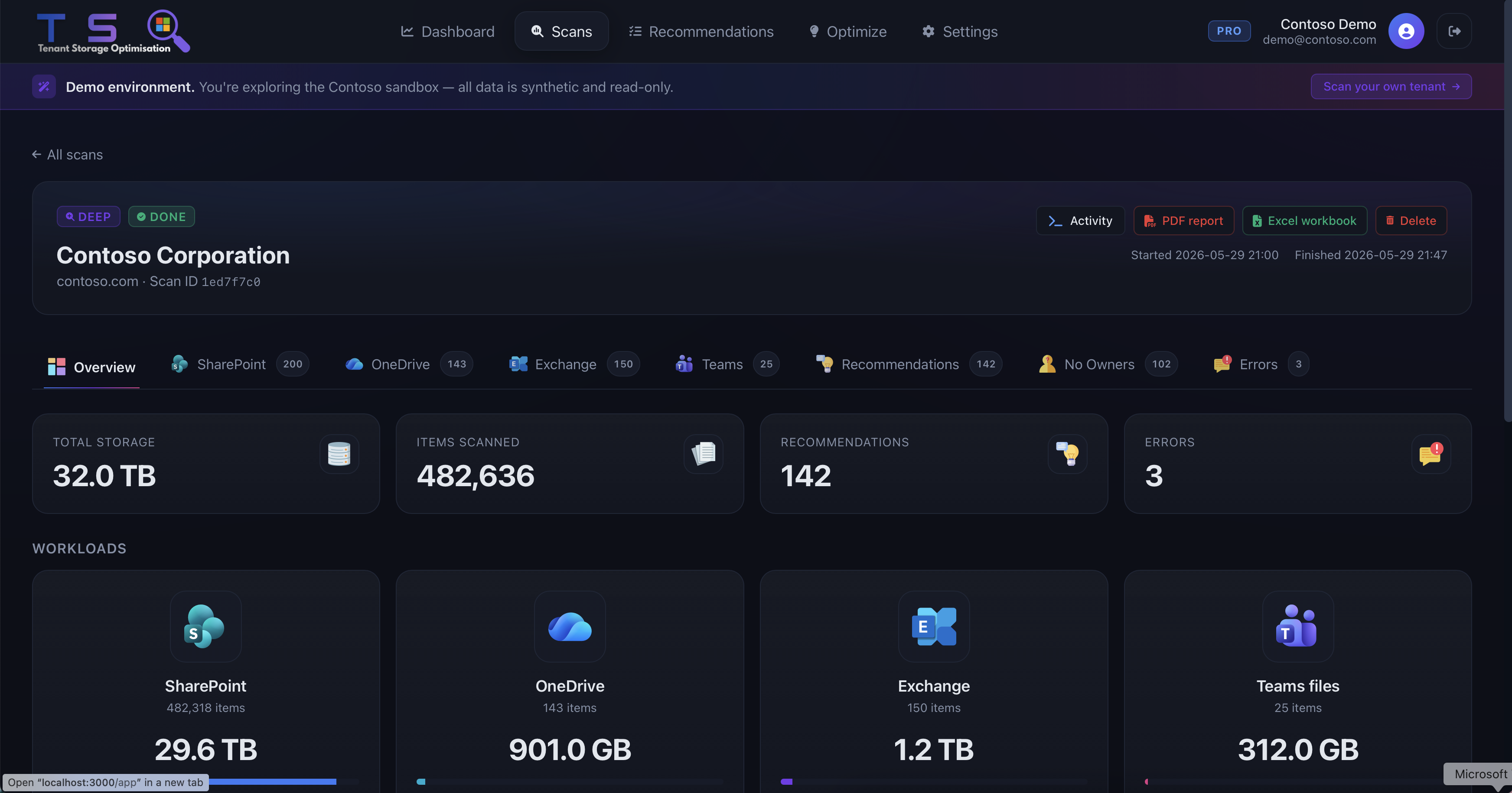
Dashboard Overview
Get a bird's-eye view of your entire tenant's storage footprint the moment your scan completes. High-level totals, trend lines, and stale content ratios render instantly-no waiting, no configuration.
- Total storage by service: SharePoint, OneDrive, Exchange, Teams
- Stale content percentage and trend across your last three scans
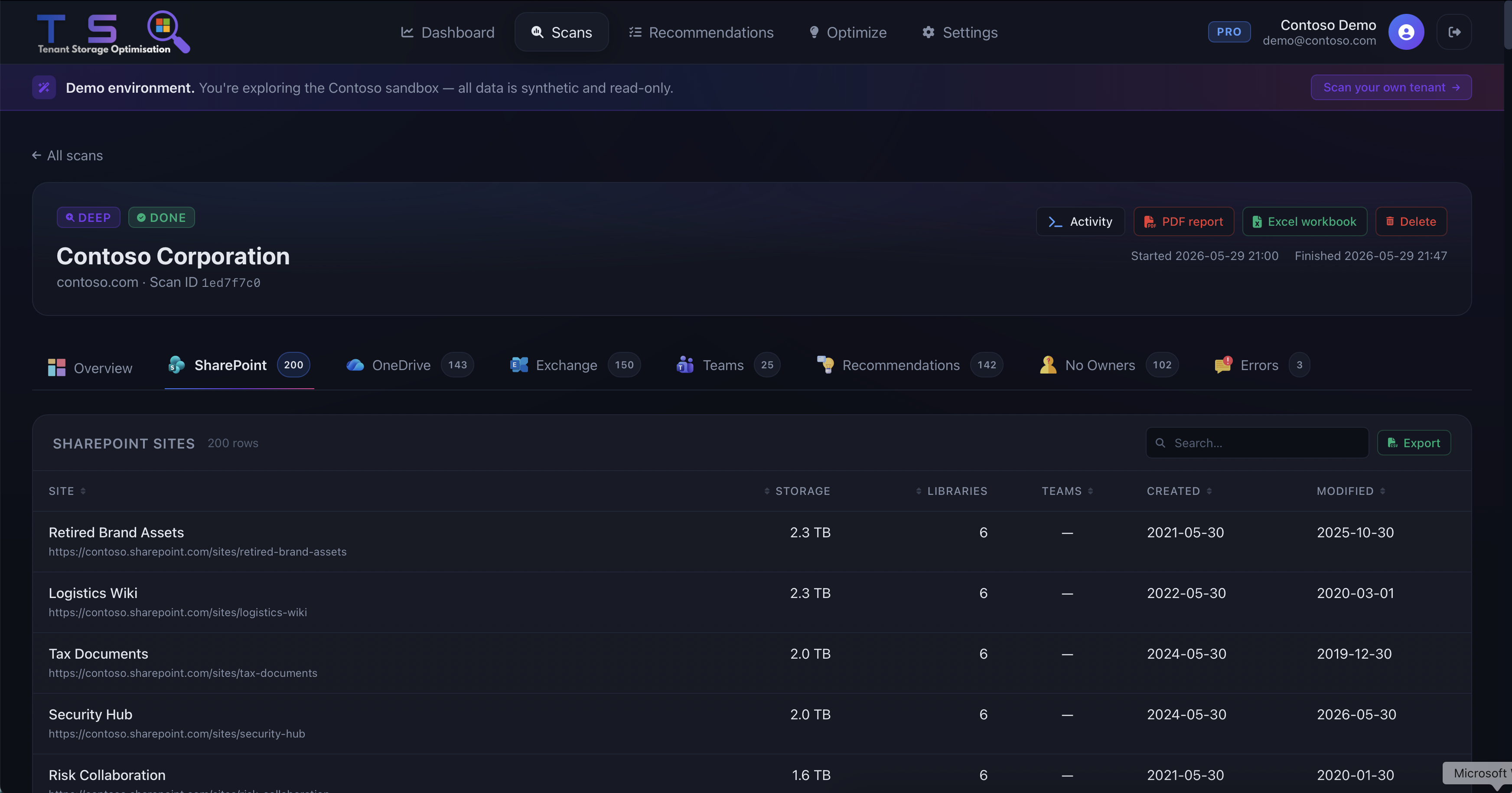
SharePoint Analysis
Every SharePoint site scored by size, activity, and ownership status-so you know exactly where to act. Sites that haven't seen a file touched in 18 months surface at the top, not buried on page twelve of a report.
- Sites ranked by storage consumption with delta from last scan
- Last activity date and owner contact surfaced inline
OneDrive Deep Dive
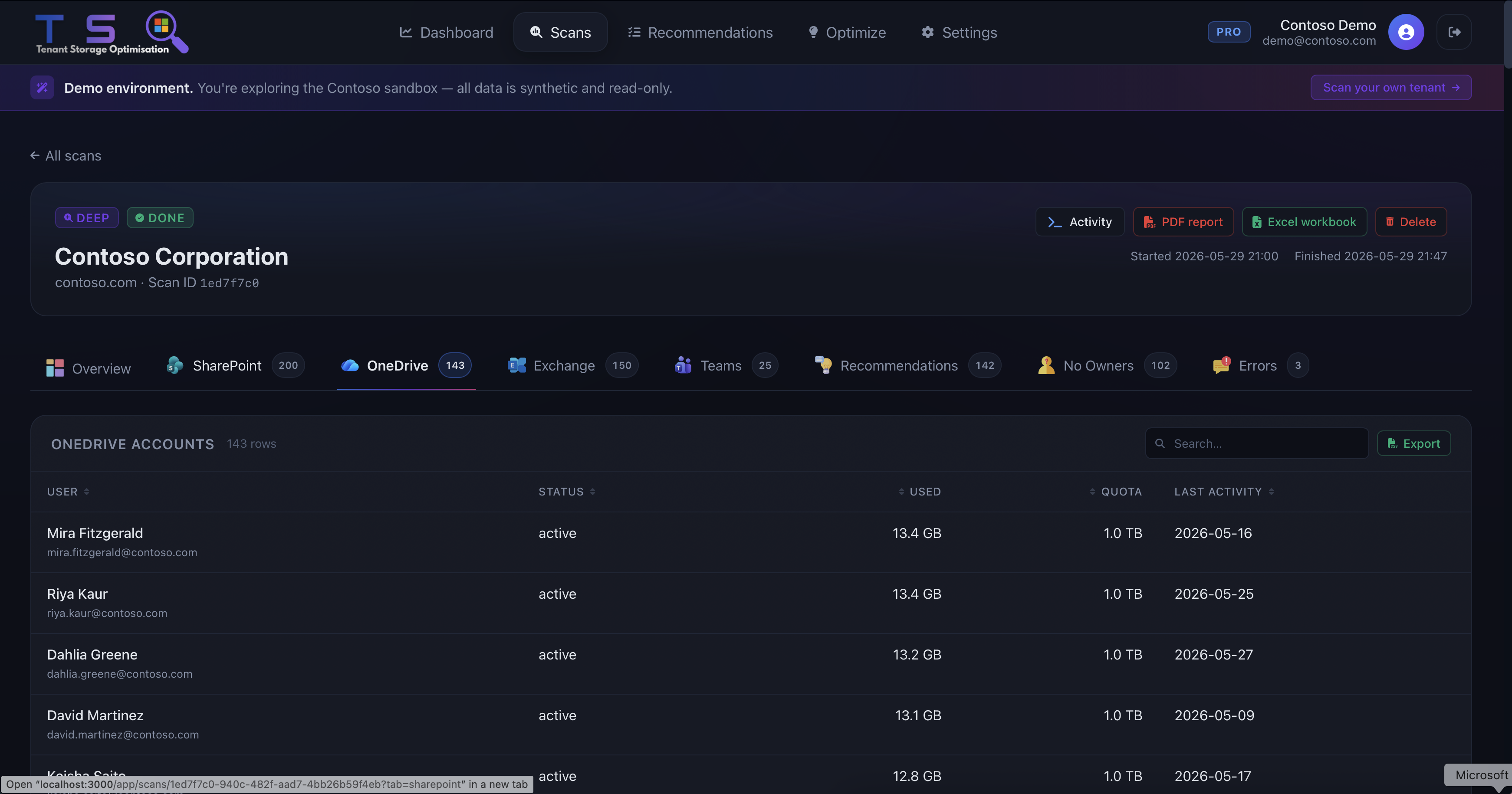
Identify users hoarding gigabytes of data-versions, recycle bins, old attachments-and reclaim it without any disruption. TSO shows you who, how much, and what type before you pick up the phone.
- Per-user storage breakdown with file-type composition
- Flag accounts over policy threshold for immediate review
Ownerless Sites
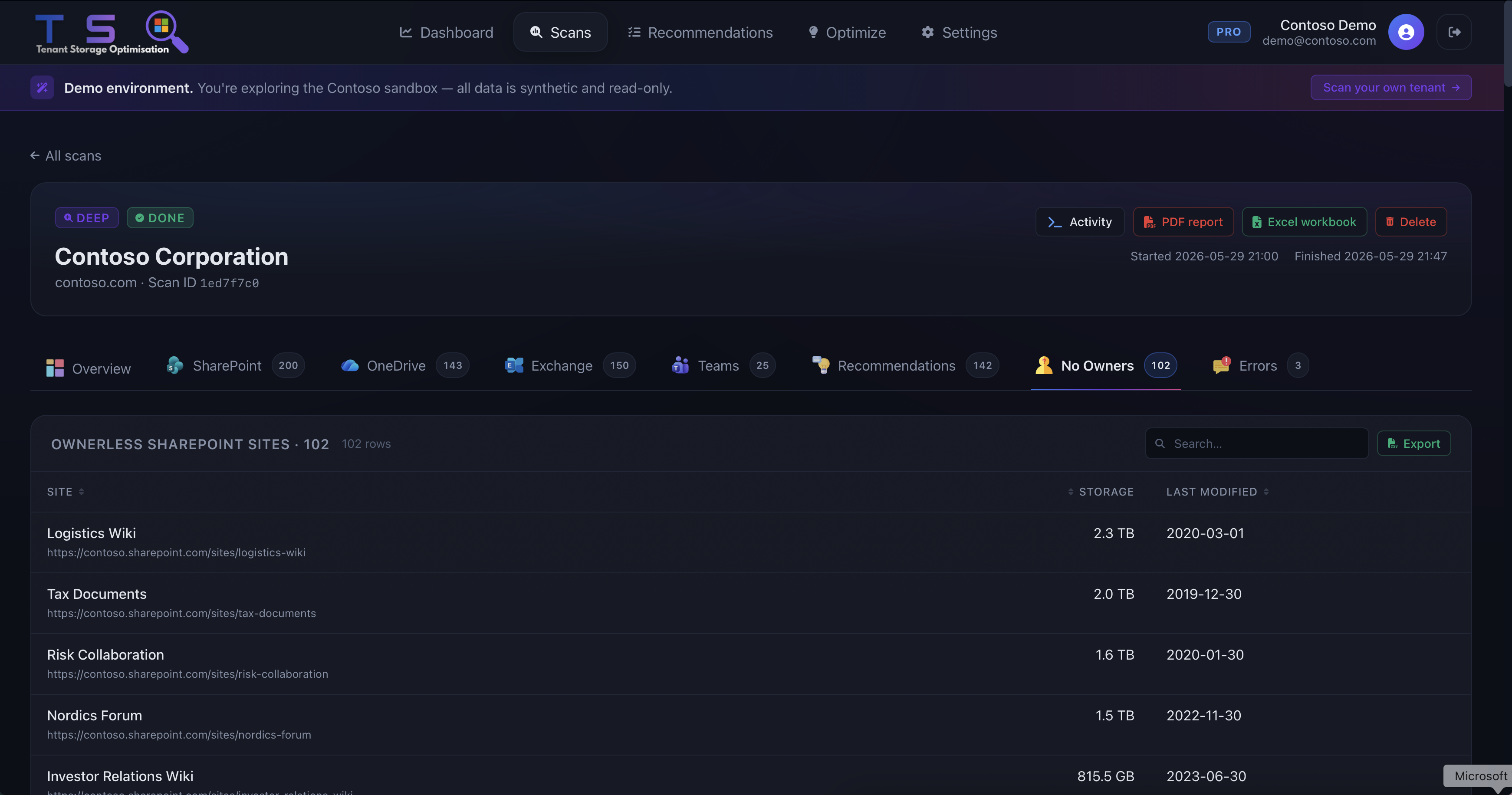
40–60% of M365 content belongs to users who have left the organisation. TSO flags every orphaned site with one-click assignment-turning a governance headache into a five-minute clean-up sprint.
- Detects departed-user content automatically against your Azure AD
- Prioritised by storage impact-largest orphan first
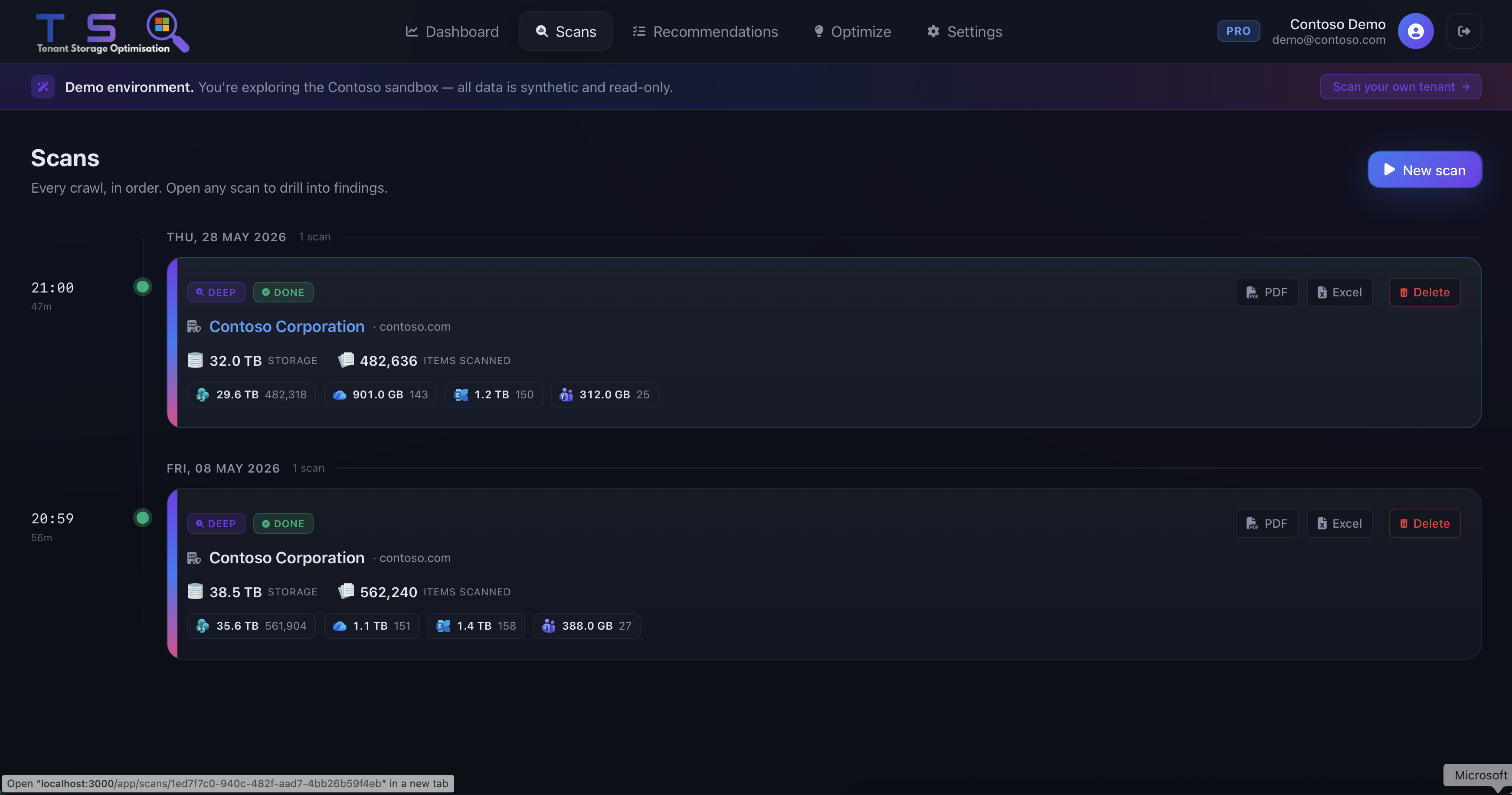
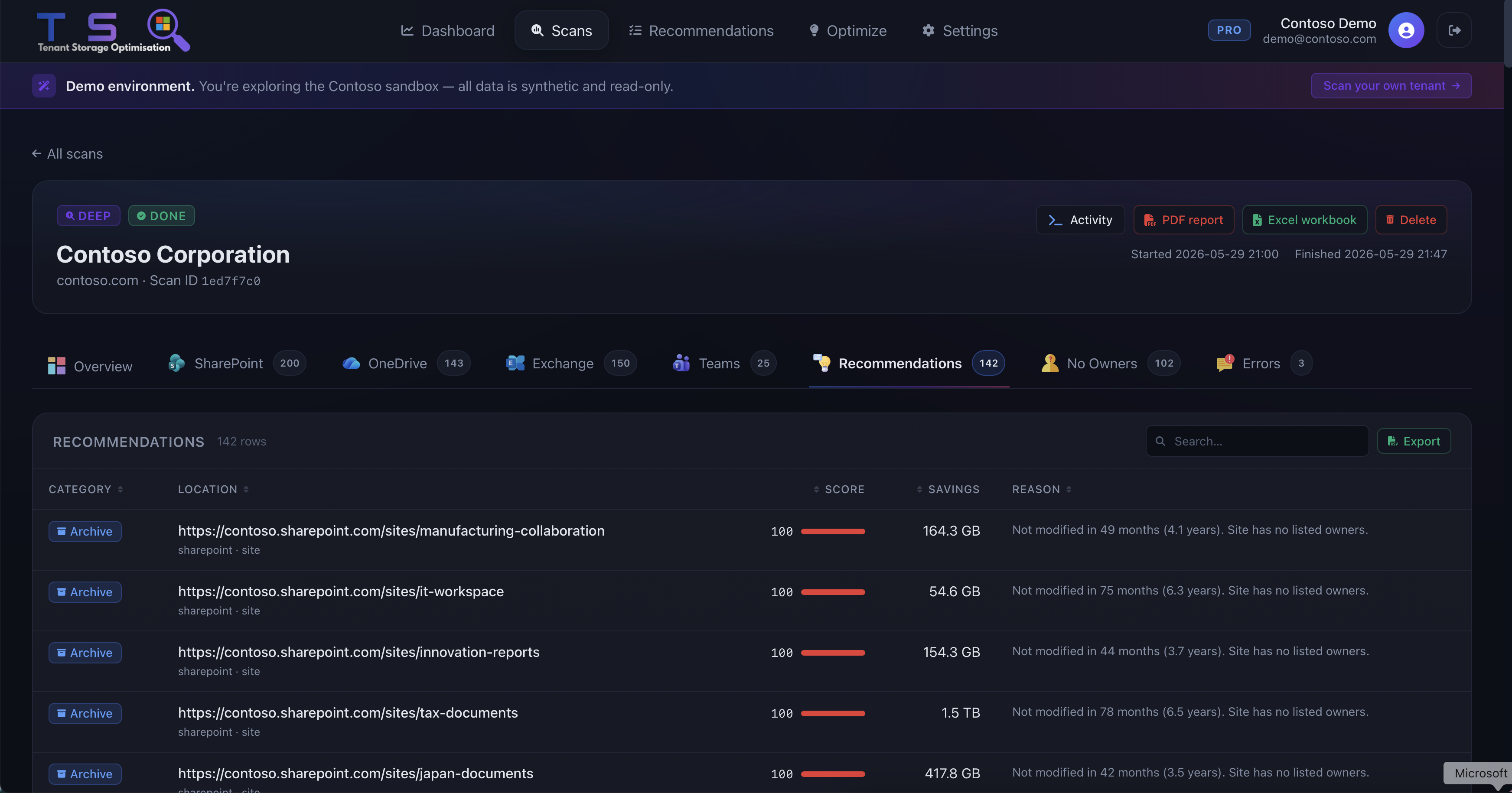
Recommendations Engine
Prioritised, actionable recommendations-archive, review, or delete-with the exact GB and cost savings attached to each action. No vague guidance; TSO tells you what to do and what it's worth.
- Conservative / Expected / Aggressive saving scenarios modelled side by side
- Export full recommendation list to CSV for governance review
Storage Optimisation View
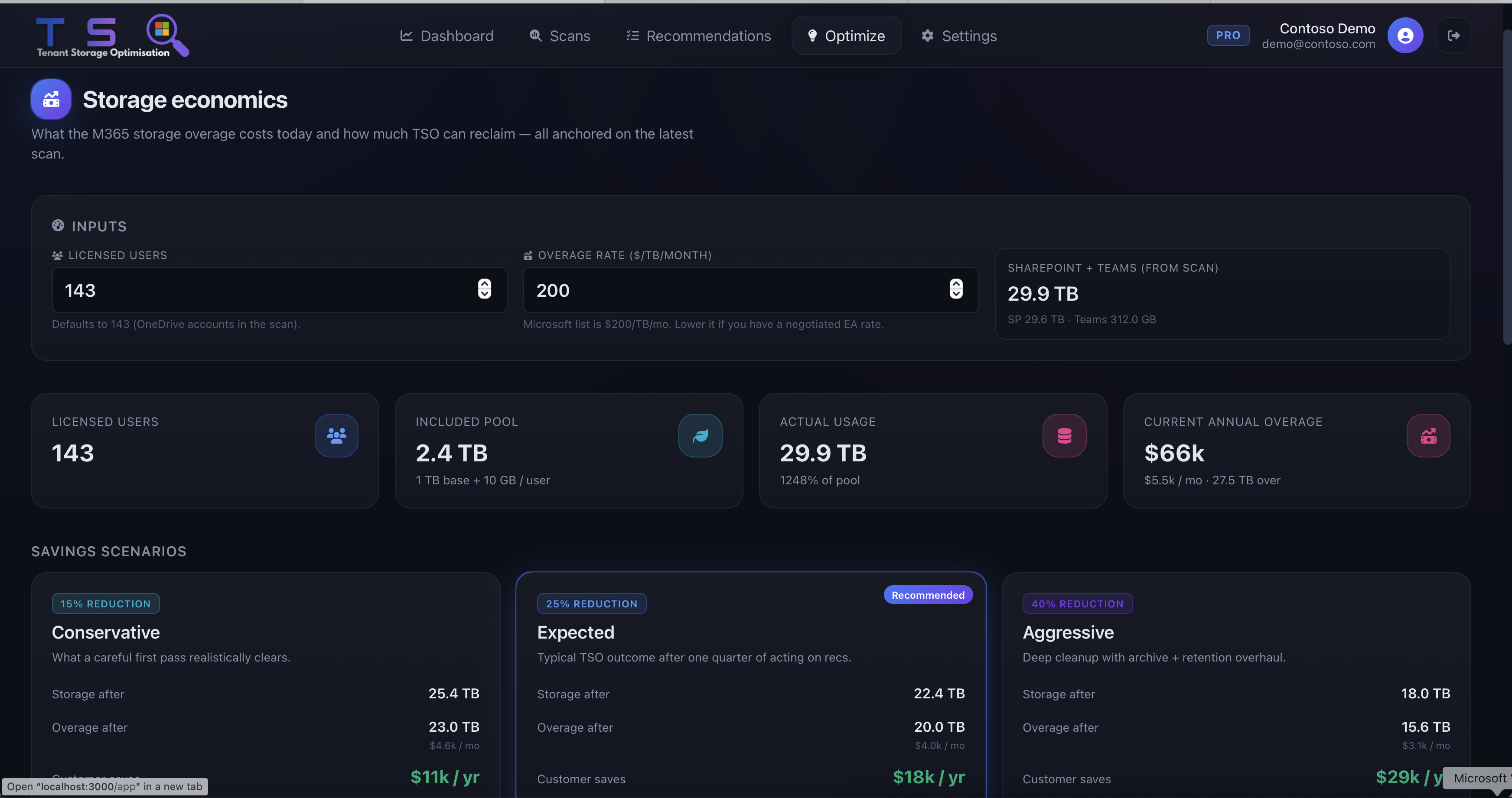
Model the financial impact of clean-up actions before you take them. Input your $/TB rate; TSO does the maths-turning every decision into a clear ROI statement your leadership team can act on.
- Live cost calculator per action-enter your storage rate, see the number
- Compare scenarios side by side before committing to any change
IT teams shipping results, not reports.
The read-only approach was key for getting sign-off from our security team. We had results the same afternoon-no agents, no changes to our tenant.
TSO identified $24,000 in recoverable storage spend in our first scan. We cleaned up 60% of it in a single sprint.
Get Started
Your first scan is free.
Your savings are real.
Connect in under two minutes. Results in five. No agents, no writes, no risk-just a clear picture of what your tenant is costing you.
Free
Read-only
No data stored
Results in minutes